I SUGGEST THIS SOFTWARE FOR THOSE WHO WANT TO PLAY GAME THAT REQUIRE GRAPHIC CARD WITHOUT GRAPHIC CARD. THIS SOFTWARE IN SIMPLE WORD IS : GRAPHIC CARD EMULATOR.
Part 1 :
Overview :
3D-Analyze is a tool for Transform & Lightning(TnL) hardware emulation. So it is very useful for running TnL games on video cards that have not on board dedicated circuits for TnL calculations. It uses power of central processing unit to do emulation.
3D Analyze is a Graphics Card Emulator that can emulate all the feature of a 3D graphics card like pixelshader 1.1, 1.4, 2.0, bump maps and many more. If a game stops running on your system just because you don't have a graphic card, dont worry 3D Analyze might be able to help you.
3D Analyze is a Graphics Card Emulator that can emulate all the feature of a 3D graphics card like pixelshader 1.1, 1.4, 2.0, bump maps and many more. If a game stops running on your system just because you don't have a graphic card, dont worry 3D Analyze might be able to help you.
How to use?
1) Run 3D Analyze.
2) Select the game exe.
3) Select a few options that you want to emulate.
4) You can start playing.


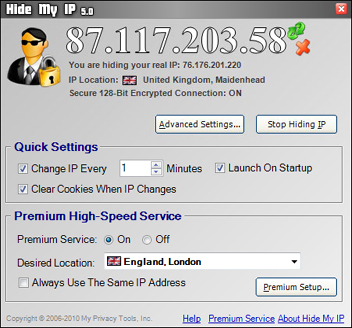
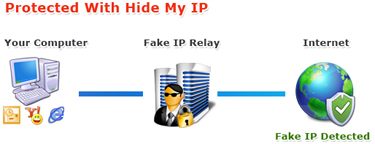


 Protect and hide your Identity through hiding your IP address
 FeedDemon is a free, easy-to-use RSS feed reader that makes it quick and convenient to stay up-to-date with the latest news and information. The software is highly customizable, including the way feeds are organized and displayed. Custom news watches based on keywords can be setup, and podcasts can be easily transferred to portable audio devices.
 Mozilla Thunderbird is a free, open source, cross-platform e-mail, newsgroup, and RSS feed client that offers a simple solution for online communication and information retrieval. The software is also highly customizable and expandable via a massive collection of available extensions.
 Tweak UI is a free user interface customization application released by Microsoft to help with customizing the Windows operating system. Although it is not supported by Microsoft, Tweak UI offers a more convenient way to adjust settings that would otherwise require manual registry editing. Most significantly, the software enables users with older, slower systems to turn off components of the operating system, such as menu fading, drop shadows, and cursor shadows to improve performance. Tweak UI also includes many features for customizing the way various aspects of the Windows interface function, such as the taskbar, desktop, and start menu. The program also allows users to move the location of special folders in Windows, such as My Documents, Music, and Pictures, as well as other system folders. It also offers tools that help users repair components of the Windows operating system, such as icons, hotkeys, the font folder, and file extension associations. Tweak UI can be used to disable AutoPlay on one or more drives as well. Tweak UI provides the capability to set up Xmouse for those familiar with the X Window System. Note: This tool is for use with Windows XP. It is not designed for Windows Vista.
 OpenOffice.org